


 Most Popular
 What's New
[2026] 9 Best Pokemon GO Raid Finder: Find Raids Easily

LocaChange - Pokemon GO Raid Finder
Find and join remote raids anywhere without Remote Raid Passes. Battle and catch your Shundo Pokemon! Free trial is available now!

Are you looking for ways to find and join raids in Pokemon GO quickly? If so, then a Pokemon GO raid finder is probably the best choice. In this article, I will share the nine best Pokemon GO remote raid finders in 2026, as well as useful guides on finding raids more efficiently. Let's get started.
In this article:
How to Find a Raid in Pokemon GO?
Before using any Pokemon GO raid finder, it's important to understand how raids appear in the game. A raid occurs when a powerful Raid Boss takes over a Gym, inviting nearby players to battle and defeat it for rewards and rare Pokemon encounters.
Here are the main ways to find raids in Pokemon GO:
When a Raid Battle happens nearby, you can receive a notification. You can tap the Nearby icon and click Raid tab to check them.
If your friend encounters a raid and sends it to you, you can accept the invitation and join the raid remotely, no matter how far apart.
A raid egg on the Gym is indicative of an upcoming raid battle. If you see there's an egg floating above the Gym icon, you can wait until the raid starts. You can get many rewards once you win the raid, and sometimes even Shundo Pokemon.
9 Best Pokemon GO Raid Finders in 2026
If you want to find raids quickly, you can use one of the best Pokemon GO tips - Pokemon GO Raid Finder.
Pokemon GO Raid Finder is an app or community platform that helps players locate active raids and join them instantly, no matter where they are. Since raids are time-limited and location-based, using a raid finder saves you from wandering around in search of Gyms with active battles. Below, I'll introduce you to the 9 best Pokemon GO Raid Finders.
1 LocaChange
Raid Finder App | Rating: 5-stars

The main feature of the LocaChange app is Pokemon GO spoofing. However, there is more that LocaChange can do. In the special Game Mode, LocaChange offers the Pokemon information search, which includes Pokemon search, Raid Battle search, and Quest search.
You can choose the Raid Battle Search and enter keywords in the search bar to find raid battles quickly. When you get the location and coordinates, you can also use LocaChange to teleport there with 1 click and join raids remotely. It is a 100% working and safe Raids Finder app.
2 Raid Now at Leek Duck
Raid Finder Web | Rating: 5-stars

Leek Duck is a famous Pokemon GO news and event tracker website, but few people know it also offers a useful Raid Finder called Raid Now. On the Raid Now page, you can check ongoing raid bosses, schedule times, and remote raid invitations shared by global trainers.
Unlike other apps, you don't need to download anything - it's a web-based Pokemon GO raid finder. You can simply visit Leek Duck's Raid Now section, pick the raid you want to join, and connect with other players through links or Discord servers. It's simple, fast, and reliable for daily raiders.
3 9db Raid Finder
Raid Finder Web | Rating: 5-stars

As a Japanese Raid Finder in Pokemon GO, 9db Raid Finder is also many players' first choice, especially for players in Japan. If you haven't tried this one before, then you can go to the website and use its finder for free. The only problem is that you can not post within 1 hour of your first visit, so you need to wait for some time.
9db does not only offer raid finder but also practical tools such as IV checker, Leaderboard, PvP finder, and so on. It's a versatile online website for Pokemon GO players.
4 Poke Genie
Raid Finder App | Rating: 5-stars

Poke Genie is one of the oldest and most trusted apps in the Pokemon GO community. It's not only a Pokemon GO Raid Finder, but also an IV calculator, battle simulator, and team organizer. The raid feature lets you join remote raids worldwide using QR code invitations.
Players can host their own raids or join others through the in-app queue system. Poke Genie automatically matches you with trainers who need more participants, making it easy to join Legendary or Mega Raids even without local players nearby.
5 PokeRaid
Raid Finder App | Rating: 4-stars

PokeRaid is a third-party app for finding raid battles in Pokemon GO instantly. It has both iOS and Android versions and you can download it from App Store or Google Play easily. With PokeRaid, you can join worldwide remote raids, coordinate a remote raid quickly, and find new trainers around the world.
The advantage is that PokeRaid has its own community and friend system, so you can communicate with others and share coordinates in real-time. You can also customize the notification settings and get notified whenever you want.
6 GO Raid Party
Raid Finder App | Rating: 4-stars
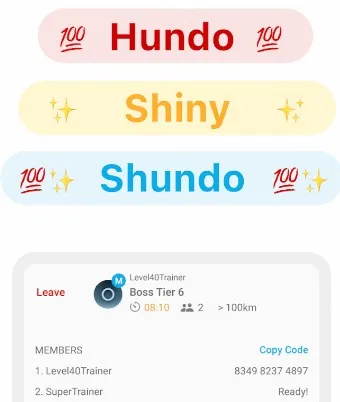
Just like PokeRaid, GO Raid Party is also an iOS & Android app that features a raid finder for Pokemon GO. You can use GO Raid Party to raid Hundo, Shiny, and even Shundo Pokemon! GO Raid Party has a user-friendly interface and can match people who need help or will help.
If there are lots of raids around you but you've got no teammates, or if you have a strong team but couldn't find a suitable raid, then GO Raid Party is a good choice for you to host a room to raid the Shiny or Hundo boss.
7 Niantic Campfire
Raid Finder App | Rating: 3-stars

Niantic Campfire is the official social app made by Niantic for Pokemon GO players. It includes a built-in Raid Finder feature that connects directly with the game map. You can see nearby raid locations, gym activities, and coordinate with your friends to join raids together.
Compared to third-party apps, Niantic Campfire is 100% safe and integrated with your Pokemon GO account. You can create group chats, plan remote raids, or even find local communities hosting live raids. It's the most official way to discover active raid groups near you.
8 r/PokemonGoRaids (Reddit)
Raid Finder Community | Rating: 3-stars

Reddit is home to many Pokemon GO communities, and r/PokemonGoRaids is one of the most active ones for sharing raid invites. Trainers from all over the world post their friend codes, raid coordinates, and screenshots to help others join ongoing raids.
It's not an app, but a social-based Pokemon GO raid finder forum, ideal for players who prefer chatting or trading before joining a raid. You can filter posts by "Active Raids" or "Remote Invite" to quickly find your target Legendary or Mega raid.
9 Pokemon Go Remote Raid & Friend Code (Facebook)
Raid Finder Community | Rating: 3-stars

If you're more used to social media, Facebook also has large Raid Finder communities. One of the biggest ones is Pokemon GO Remote Raid & Friend Code. Here, trainers post live raid invitations and exchange friend codes for instant coordination.
You can join the group for free, comment on active raids, or even schedule raids with international players. Since it updates in real time, it's perfect for those who want to find quick remote raids and meet new friends across the world.
Tips for Finding Raids in Pokemon GO Efficiently
Tip 1 Stay Updated with the Latest Pokemon GO News
You can keep an eye on the Pokemon GO news, updates, and player communities to learn about the latest information and don't miss any good raids.
Tip 2 Be on Time for Every Raid
Although it happens frequently that players miss a chance to join a battle raid, it is better to be punctual and treasure every opportunity.
Tip 3 Plan Your Raids Ahead
You can make plans with your friends and make a clear Pokemon GO raid schedule about when and where to join raids. This can greatly increase your efficiency.
Tip 4 Use Pokemon GO Raid Finder Apps
When you don't know where to find active raids, try using trusted Pokemon GO Raid Finder apps such as LocaChange, PokeRaid, or GO Raid Party. These apps let you search for ongoing raid battles, get coordinates, and even join remote raids instantly.
Tip 5 Explore Pokemon GO Raid Maps
Third-party Pokemon GO raid maps (like WeCatch, PokeNav, or local Discord groups) can help you locate active raids nearby, saving you time and effort in hunting them down manually.
How to Join Remote Raids in 1 Second
Most Pokemon GO raid finder apps and websites only show the raid locations or coordinates, which means you still have to move manually or use Remote Raid Pass to join the battle. However, the LocaChange Raid Finder takes it a step further. It not only provides real-time raid coordinates but also lets you teleport directly to the raid location with just one click.
To conclude, LocaChange is much more powerful than a regular GPS changer. Beyond its Pokemon GO Raid Finder function, it includes many advanced tools designed specifically for trainers who want to play smarter. With LocaChange, you can raid, catch, and explore more efficiently than ever.

 Key Features of LocaChange
- Built-in Pokemon GO Raid Finder - Instantly locate and join any active raids around the world.
- Teleport Anywhere in Pokemon GO - Modify your GPS location freely and reach raids with 1 click.
- Compatible with the Latest Systems - Fully supports iOS and Android, with multiple device connections available.
- Catch More Hundo and Shiny Pokemon - Use LocaChange to boost your raid efficiency and success rate.
- Advanced Gameplay Tools - Pokemon IV Checker, PvP Finder, Pokemon GO map, Joystick.

Use LocaChange to join remote raids in 1 second:
Step 1: Download and intall LocaChange.
Step 2: On LocaChange, choose the Special Game Mode and open Pokemon GO. Find PoGo Search - Raids to find active raids, and tap "Go" to move there instantly.

You can also use LocaChange via PC to join raids on iOS or Android:
Step 1: Connect your mobile phone to a PC. And then choose Game Mode.
Step 2: Find PoGo Search - Raids to find active raids, and tap "Go" to move there instantly.
Today I list the 9 best Pokemon GO Raid Finders for you, such as LocaChange, 9db Raid Finder, PokeRaid and GO Raid Party. If you find these tools useful, then don't hesitate to try them and share them. Among these tools, the location changer LocaChange is the best and safest one, you can use it for not only finding raids, but also teleporting. Highly recommend it to you!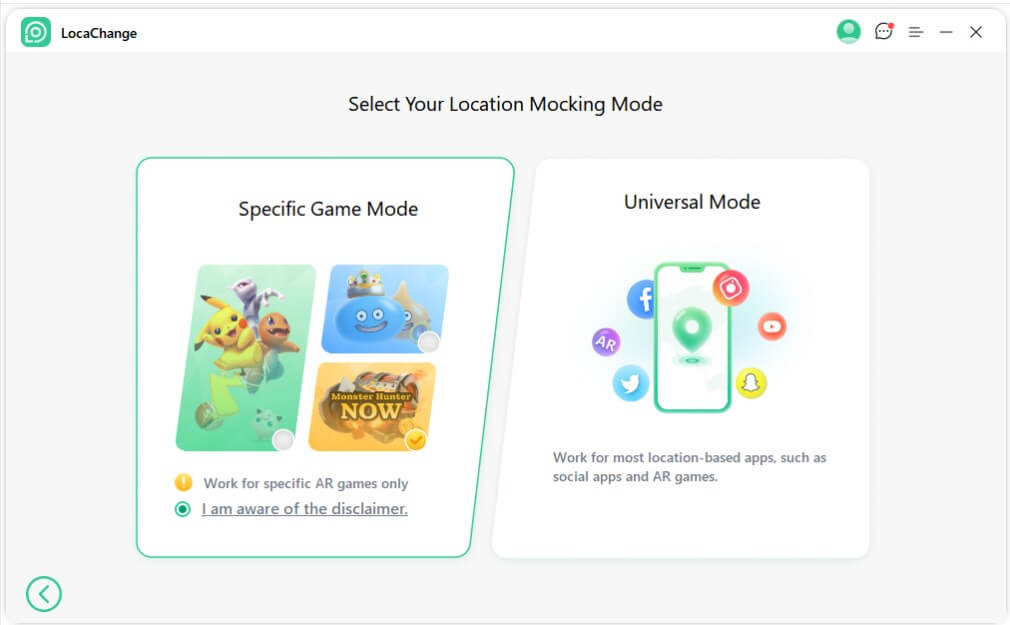
Conclusion


 Related Articles
- [8 Tricks] How to Hatch Eggs in Pokemon GO without Walking?
- Top 20 Best Places to Spoof Pokemon GO in 2025 [With Coordinates]
- 7 Best Pokemon GO Auto Catchers in 2025 [Top Devices & Buying Guide]
- How to Use a Pokemon GO Scanner to Enhance Your Gaming?
- [Newest] Pokemon GO Cooldown Chart Updated in 2026
- How to Create a PokeStop in Pokemon GO: Step-by-Step Guide