


 Most Popular
 What's New
[2026 Safe] How to Teleport in Pokemon GO iOS & Android?

Best Pokemon GO Teleport App
Use LocaChaneg to teleport in Pokemon GO instantly and explore any location in the world. Spin PokeStops, join rare raids, and catch regional Pokemon without limits!
Whenever you play Pokemon GO, you often need to walk long distances to find PokeStops, gyms, and rare spawns. But sometimes the weather is bad, you're stuck indoors, or you simply live in an area with very few Pokemon around. That's when Pokemon GO teleporting becomes extremely helpful.
If you want to reduce unnecessary walking, reach rare Pokemon faster, or participate in global raids, this guide will show you how to teleport in Pokemon GO safely on both iPhone and Android. You'll also learn how teleport works, why cooldown matters, and how to avoid getting banned while using a Pokemon GO teleport app. Let's begin.
In this article:
- What Is Pokemon GO Teleport?
- Benefits of Teleporting in Pokemon GO
- Is Teleporting in Pokemon GO Safe in 2026?
- How to Teleport in Pokemon GO?
- Why Can't I Catch Pokemon After Teleporting?
- Tips to Teleport in Pokemon GO without Getting Banned
- Best Places to Teleport in Pokemon GO
- FAQs About Pokemon GO Teleport
What Is Pokemon GO Teleport?
Pokemon GO teleport refers to changing your in-game location by simulating GPS movement on your device. Instead of physically walking, you can instantly jump to any place on the map and interact with the Pokemon, PokeStops, and Gyms there.
To teleport in Pokemon GO, players usually rely on a Pokemon GO spoofer (Pokemon GO teleport app). These tools let you set a custom GPS position, search for the Pokemon you want, and teleport directly to the coordinates to catch it. When used correctly, teleporting can greatly expand your gameplay experience.
LocaChange - PoGo Teleport App
Teleport in Pokemon GO and use Pokemon GO fake GPS anywhere instantly. 100% safe and simple to use!
Benefits of Teleporting in Pokemon GO
Teleporting provides several advantages, especially for players who live in rural areas or want to progress faster in the game.
Catch rare or regional Pokemon: Pokemon spawns depend on real-world geography. Many rare or regional species only appear in specific cities or continents. Teleporting allows you to jump to those areas and catch Pokemon that would otherwise be impossible to find locally.

Play anytime without walking: When the weather is bad, you are busy, or you simply don't want to move around, teleporting lets you continue playing comfortably. You can track spawns, join raids, or spin stops from home.
Access more PokeStops and Gyms: Some cities have dense PokeStop clusters, while others have very few. By teleporting, you can explore high-activity areas, spin more discs for items, and challenge more Gyms and Raids.
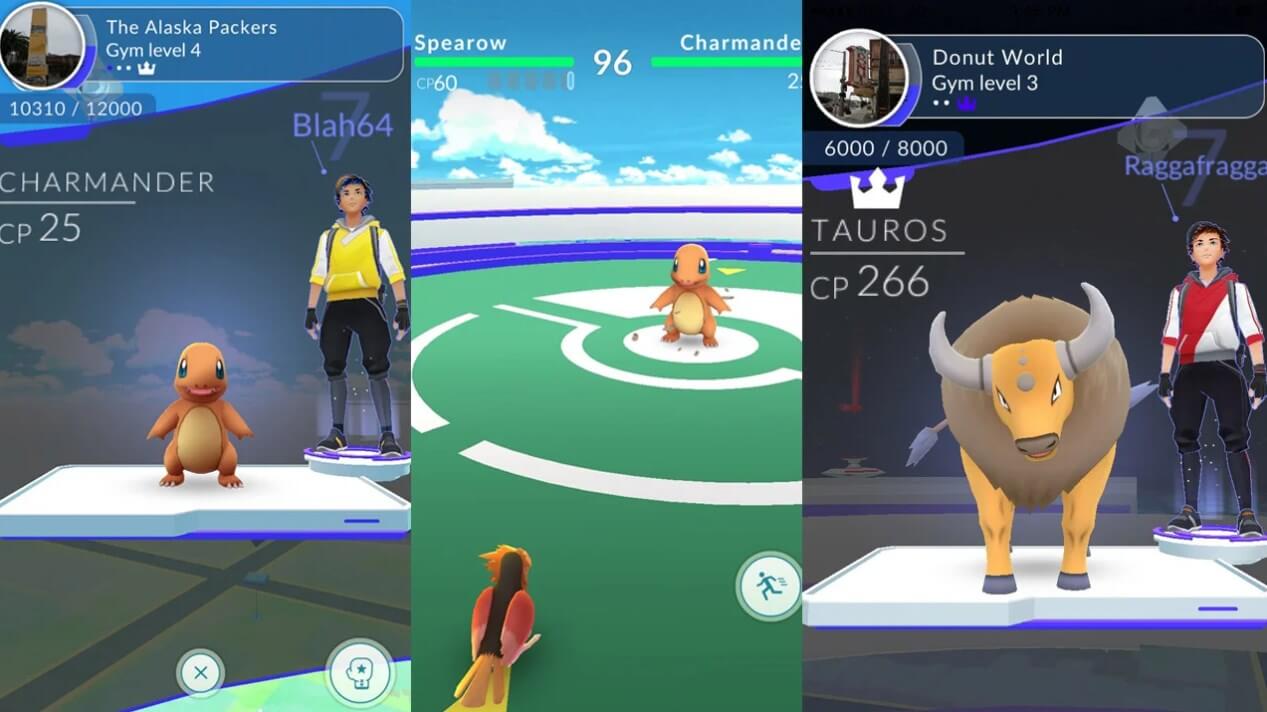
Join global Pokemon GO events: Many official events - such as GO Fest, Community Day hotspots, and region-based Safari Zones - happen in specific locations. With teleporting, you can take part in these events from anywhere and enjoy exclusive bonuses and spawns.
Is Teleporting in Pokemon GO Safe in 2026?
Teleporting in Pokemon GO can be safe in 2026, but only if you understand how the game detects location changes and follow the cooldown rules properly. Niantic monitors unusual GPS behavior, and sudden jumps across long distances may trigger a softban, preventing you from catching Pokemon or spinning PokeStops for a short time.
However, many players teleport safely every day by using a reliable Pokemon GO teleport app, avoiding rapid movements, and waiting the correct cooldown time between actions. As long as the teleporting is done responsibly and with stable GPS simulation, it remains one of the safest ways to explore the game world in 2026.
Also Read:
How to Teleport in Pokemon GO?
1 Best Pokemon GO Teleport App for iOS
If you want to teleport in Pokemon GO on iOS, the best and safest option is LocaChange. Unlike other Pokemon GO spoofers that require downloading a modified game or risky third-party apps, LocaChange works directly with the official Pokemon GO app through its secure Bluetooth connection. This makes it safer, more stable, and compatible with the latest iOS versions.
In addition to safe teleporting, LocaChange also offers advanced tools that help you explore the game more efficiently - such as custom walking routes, a built-in cooldown timer, an interactive PokeStop map, and a joystick for smooth movement.

 Key Features of LocaChange
- 1-click teleport to any Pokemon GO location with no area restrictions - play from home instantly.
- No modded Pokemon GO required. Teleport safely in the official Pokemon GO app.
- Fully compatible with iOS/Android/PC and continuously updated for new features.
- 360-degree Pokemon GO joystick, auto-walk, and auto-catch options for easier gameplay.
- Built-in cooldown timer to help you avoid softbans when teleporting.
- Free trial available for all users.

How to Teleport in Pokemon GO Using LocaChange:
Step 1: Download and install LocaChange on your iPhone.
Step 2: Open LocaChange app and follow the on-screen instructions, and complete the basic settings. (Refer to the LocaChange User Guide for details.)
Step 3: Choose the Teleport Mode, enter the location you want to change and tap "Move" to teleport.
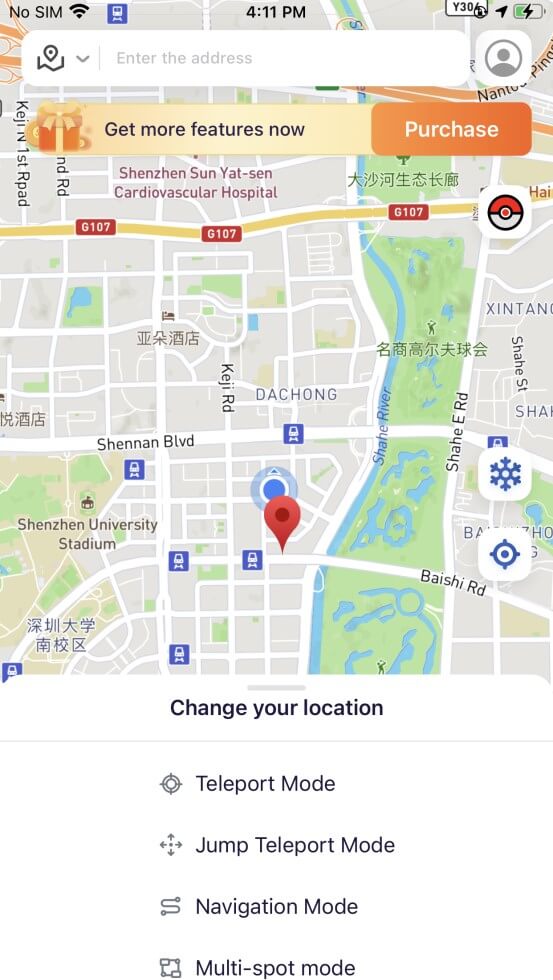
Your GPS position will instantly update. Open Pokemon GO, and you'll appear at the new location - ready to catch Pokemon, spin stops, or join raids without walking.
With LocaChange, you can teleport safely and begin your Pokemon GO journey anywhere without worrying about location limits.
2 Best Pokemon GO Teleport App for Android
Teleporting in Pokemon GO on Android is generally easier because the Android system is more flexible. Many mock location apps are available, but one of the most popular and reliable choices for simple teleporting is Fake GPS Location. This app lets you instantly change your GPS position and jump to any location in the world with minimal setup.
Compared with advanced tools like LocaChange, which provides joystick movement, cooldown reminders, and routes designed specifically for Pokemon GO players, Fake GPS Location focuses only on one thing - changing your location. It does not include extra Pokemon GO features, but it is free, lightweight, and perfect for players who only need basic teleporting without additional functions.
-
Why Choose Fake GPS Location for Pokemon GO?
- Free to use - ideal for players who need simple coordinate teleporting.
- Lightweight and easy to set up - no complicated configuration.
- Instant GPS movement to any location worldwide.
- Works on most Android devices without requiring root access.
- A good choice for beginners who want to test Pokemon GO teleporting safely.
How to Teleport in Pokemon GO Using Fake GPS Location:
Step 1: Open your Settings > About Phone and tap "Build Number" several times to unlock Developer Options.
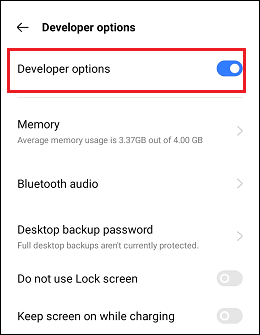
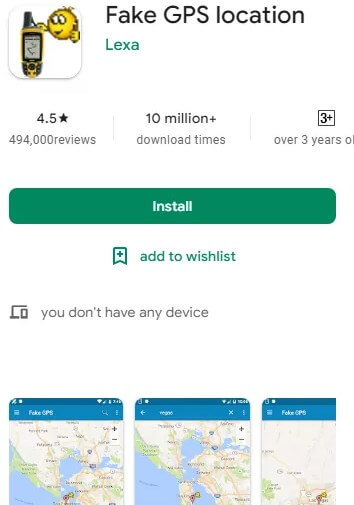
Step 2: Go to Google Play, search for Fake GPS Location, and then install it.
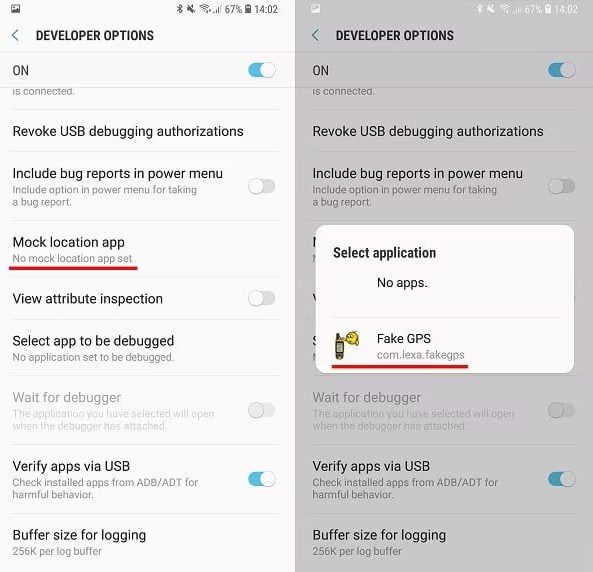
Step 3: Go back to Developer Options > Select mock location app > choose the Fake GPS app you just installed.
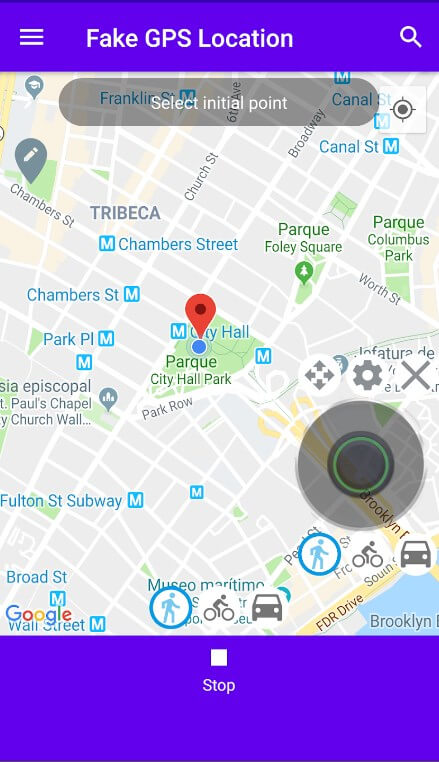
Step 4: Open the app. Use the search bar to enter the city name or coordinates you want to teleport to.
Step 5: Tap Start to set your virtual position. Then open Pokemon GO - you will appear in the new location instantly.
Why Can't I Catch Pokemon After Teleporting?

If you teleport and suddenly can't catch any Pokemon - no matter how many Poke Balls you throw - it usually means the cooldown period is active.
During cooldown, Pokemon GO blocks actions like catching Pokemon, spinning PokeStops, or battling to prevent spoofing.
How to fix it:
1. Teleport to the target location.
2. Tap the Pokemon you want to catch.
3. Stay on the catch screen without throwing any balls.
4. Wait until your cooldown time ends.
5. Once the cooldown expires, throw your Poke Ball - you will be able to catch it normally.
Tips to Teleport in Pokemon GO without Getting Banned
Tip 1 Follow Pokemon GO Cooldown TimeCooldown time is the mandatory waiting period after certain actions (catching, spinning, battling, teleporting).
If you teleport too soon after your last action, the game triggers a soft-ban and blocks you from catching Pokemon.
Always check the cooldown chart before jumping to a new location.

Teleporting while Pokemon GO is still running in the background increases risk because the game detects rapid location changes. This can lead to:
- "Failed to detect location" warnings
- Temporary soft-bans
- Suspicion on your account
A safer practice is to sign out of Pokemon GO, perform the teleport, then log back in.
Tip 3 Toggle Airplane Mode When TeleportingTurning on and off Airplane Mode forces your phone to refresh GPS and network signals. Doing this before teleporting helps reduce location-sync issues and lower detection risk.

Some Android devices have background location services that constantly check your real GPS position. When these services stay active, they can pull your phone back to your actual location even after you've teleported, causing the dreaded snap-back.
If you're using a free spoofing app such as Fake GPS Location, it's a good idea to temporarily turn off these tracking services. This helps keep your virtual location stable and reduces random jumps that might alert the game.
Tip 5 Avoid Teleporting While Auto-Walking or Using Adventure SyncIf you're using features like auto-walk, route walking, or Adventure Sync, Pokemon GO actively monitors your movement to make sure it looks natural. Teleporting in the middle of these activities is a common reason players receive warnings or experience soft-bans.
Best Places to Teleport in Pokemon GO
Some cities around the world naturally offer better Pokemon GO gameplay - more PokeStops, more Gyms, and busier local communities that keep raids active almost all day. Many veteran players choose to teleport to these hotspots when they want faster farming, easier raid matchmaking, or simply more rare Pokemon encounters.
In general, areas like large downtown districts, famous public parks, and coastal tourist zones tend to have the highest spawn density. If you want a detailed list of the top farming cities and the best global teleport spots for rare Pokemon, raids, XP, and events, you can check our full guide here:
Best Places to Teleport in Pokemon GO

FAQs About Pokemon GO Teleport
1. What Is the Best Pokemon GO Teleport App?
The best Pokemon GO teleport app is LocaChange because it supports both the iOS and Android version and it is 100% safe to download and use. With LocaChange, you can teleport in Pokemon GO anywhere in 1 click without being detected by the game, and keeps your account secure.
2. Can You Get Banned for Teleporting in Pokemon GO?
Yes. Teleporting is against Niantic's Terms of Service, and your account can receive warnings, soft bans, or permanent suspension if detected.
However, following cooldown rules and using a stable, non-root spoofer greatly reduces the risk.
3. How Does Cooldown Work When Teleporting Back?
Cooldown is based on the distance between your last action and your next one.
If you teleport back to a previous location, cooldown still applies. Once the cooldown timer expires, you can interact normally again.
4. How Long Should I Wait After Teleporting in Pokemon GO?
Cooldown time ranges from 1 to 120 minutes, depending on distance. Short jumps require only a few minutes, while cross-continent teleports need the full two hours.
5. Is There a Free Way to Teleport in Pokemon GO?
Android users can use free apps like Fake GPS Location for simple teleporting. iOS users can also use LocaChange, which offers a free trial to everyone.
Conclusion
Teleport in Pokemon GO is a technical thing. In this article, we introduce the benefits of teleporting, preventive measures to avoid soft-ban, as well as how to teleport in Pokemon GO on both iOS and Android systems. Hope these contents are helpful to you.
To protect your account safety, you can also try the location changer LocaChange. It supports 1-click location spoofing and helps you catch more rare Pokemon and acquire free coins. More importantly, it offers a free trial version now!


- Pokémon GO
- GPS Spoofing
- AR Gaming
- AR gaming and GPS spoofing specialist with over a decade of software experience. He is a trusted writer on Pokémon GO tips and safe location-changing strategies, helping over 2 million users worldwide. As an Apple enthusiast and expert in location-changing technology, he brings both technical depth and gaming insight to every guide.
 Related Articles
- 15 Best Pokemon GO Cheats and Hacks for iOS/Android
- How to Move in Pokemon GO Without Walking? [iOS & Android]
- [2025 Update] Pokemon GO Excellent Throw Hack Guide
- [2025 Safe] How to Fly in Pokemon GO on iOS & Android?
- Best Tokyo Coordinates, Locations, Spots for Pokemon GO
- [2026] Best New York Pokemon GO Coordinates for Rare Spawns & Epic Raids