
 Use Cases
 Catch Pokémon
 Pokemon GO Tools



 Most Popular
 What's New
[2026] PGSharp iOS: Is PGSharp Available on iPhone?

Best PGSharp iOS Alternative
Teleport in Pokemon GO with joystick, routes, and cooldown guidance on iPhone and Android. Free trial is available now.
If you searched for PGSharp iOS, you probably want the Android PGSharp experience on an iPhone: joystick, teleport, enhanced throws, feeds, and easier Pokemon GO movement. The problem is simple: PGSharp is still an Android product, and the official PGSharp site labels its latest version as Android Only.
So I am going to be direct. There is no real PGSharp iPhone app, no official PGSharp IPA, and no reliable "PGSharp iOS APK" because APK files are Android packages. What you can do is choose a workaround or use an iOS-compatible Pokemon GO location changer instead.
Quick answer
Is PGSharp available on iOS? No. The official PGSharp site lists the current release as Android Only, so PGSharp iOS, PGSharp iPhone, and PGSharp Apple downloads are not official products.
Can you install PGSharp IPA on iPhone? I would avoid any site claiming to offer a PGSharp IPA. PGSharp does not provide an official iOS IPA, and random files can be unsafe or simply fake.
Best PGSharp iOS alternative: Use LocaChange if you want iPhone joystick, teleport, route simulation, and Pokemon GO location control without looking for a fake PGSharp iOS build.
In this article:
What Is PGSharp iOS?
PGSharp is a Pokemon GO spoofer for Android. Its official site lists features such as teleport, joystick, autowalk, custom GPX, 100 IV feed, nearby radar, cooldown timer, quick catch, and other tools aimed at Android Pokemon GO players. In plain English, PGSharp replaces the normal movement experience with a modified Android setup that gives you more control inside Pokemon GO.
I would not judge PGSharp iOS by whether the phrase appears on a website. I would judge it by three questions: does the official PGSharp site provide an iOS file, does the file type work on iPhone, and does the setup keep you away from random third-party packages? Right now, the answer to the first two questions is no.

Is PGSharp Available on iPhone?
No. PGSharp is not available for iPhone or iPad. The official PGSharp download page currently shows version 1.258.0, updated on 24 June 2026, and labels it Android Only.

This is the key fact I would build the whole decision around. If a page claims to have PGSharp for iOS, ask where it comes from. If it is not from PGSharp's official site, I would not trust it.
There is also a technical reason behind this. Android apps are packaged as APK files, while iPhone apps use Apple's iOS app structure and signing rules. You cannot take an Android APK and install it on an iPhone like a normal app. That is why phrases such as "PGSharp iOS APK" are a red flag. They mix two platforms in a way that does not make practical sense.
For iPhone users, the realistic path is not to force PGSharp onto iOS. The realistic path is to use an iOS-compatible Pokemon GO location tool, or to run PGSharp only on an Android device if you specifically want PGSharp's modified-client experience.
Can You Download PGSharp on iOS?
No. You cannot download a legitimate PGSharp iOS app because PGSharp does not publish one. You also cannot use a PGSharp APK on iOS because iPhones do not install Android APK files. If you see a site offering "PGSharp IPA", "PGSharp for iPhone", or "PGSharp Apple download", treat it as unverified unless PGSharp itself links to it.
The danger is not only that the file may fail to install. The bigger problem is that unofficial downloads can ask you to install configuration profiles, certificates, or unrelated apps before you ever reach Pokemon GO. That is a bad tradeoff for most users. You came looking for a Pokemon GO joystick or teleport feature, not a chain of unknown files.
My practical rule is simple: if a download page cannot explain the platform clearly, I leave. A real iOS solution should say it supports iOS, explain how it works with iPhone, and avoid pretending an Android APK can magically become an iPhone app.
PGSharp iOS Workarounds: What Works and What I Would Avoid
Older PGSharp iOS guides often list jailbreak steps, third-party app stores, Android emulators, or fake download buttons. I would not keep those as normal tutorials just because they make the guide look helpful while sending you into a dead end. Some workarounds are technically possible in a narrow sense, but they do not give you a clean PGSharp iPhone experience.
Before trying any workaround, ask what problem you are actually solving. If you want PGSharp specifically, you need Android. If you want Pokemon GO location control on iPhone, you need an iOS-compatible location changer. Mixing those two goals is what creates most of the bad advice online.
| Method | Works for PGSharp iOS? | Risk / Friction | Verdict |
|---|---|---|---|
| Install PGSharp APK on iPhone | APK files are for Android, not iOS. Any page promising this is usually using confusing wording. | Avoid. | |
| Download PGSharp IPA from unofficial sites | No official proof | Fake files, certificate issues, account exposure, and device-security concerns. | Avoid. |
| Use Android emulator on PC | Not on iPhone | May work as an Android environment, but it does not let you play PGSharp directly on your iPhone. | Niche workaround only. |
| Use LocaChange with official Pokemon GO app | Requires desktop setup, but avoids fake PGSharp iOS downloads. | Best practical iPhone route. |
1 Why I Would Avoid Fake PGSharp IPA Downloads
A fake IPA download is the riskiest-looking workaround because it borrows the PGSharp name without giving you a clear source. Even if the page looks polished, you still do not know who built the file, whether it contains the real Pokemon GO app, or whether it asks for permissions that have nothing to do with location spoofing. I would not put a main Pokemon GO account near that kind of setup.
2 When an Android Device Makes More Sense
If you are determined to use PGSharp itself, an Android phone is the honest answer. That keeps you inside the platform PGSharp actually supports. You still need to think about Pokemon GO account risk because PGSharp is a modified-client approach, but at least you are not trying to force an Android app onto iOS.
3 When an iOS Location Changer Makes More Sense
If your real goal is to move around in Pokemon GO from an iPhone, use a tool designed for iOS location control. That gives you the features most users wanted from PGSharp iOS, such as teleport, joystick movement, and routes, without pretending PGSharp has an official iPhone version.
The Best PGSharp iOS Alternative: LocaChange
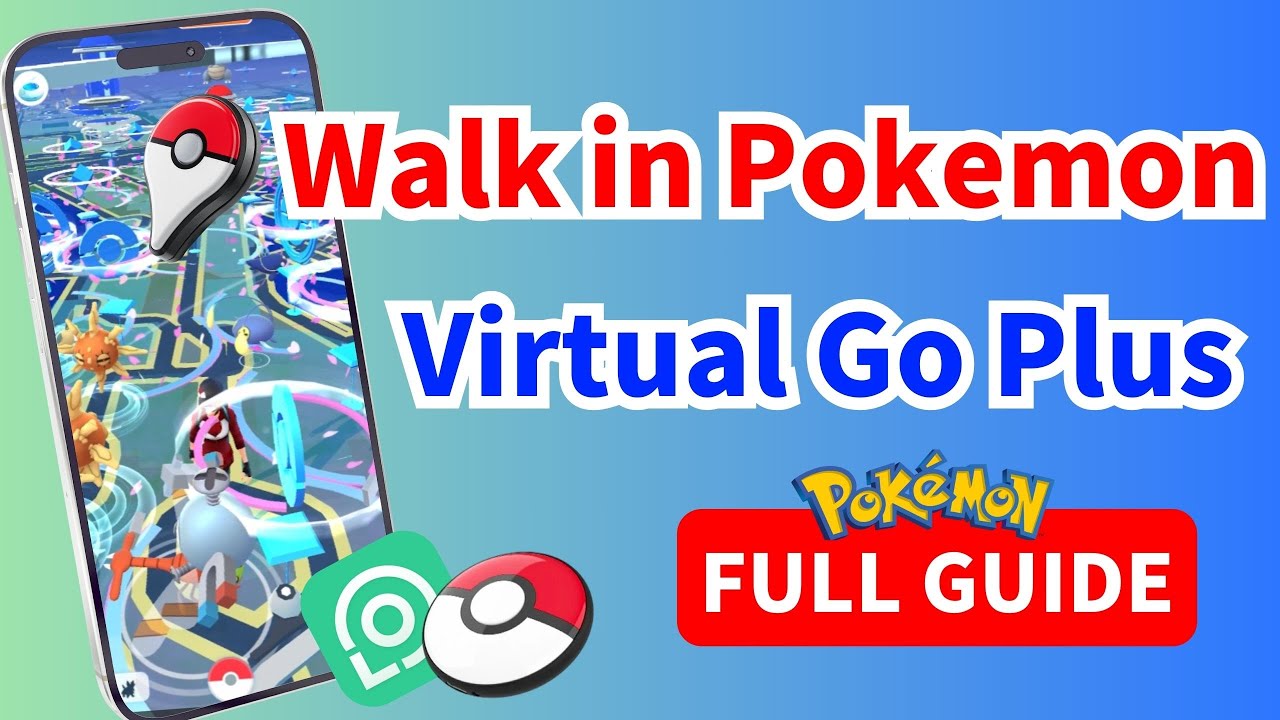
LocaChange is the PGSharp iOS alternative I would recommend when the goal is location control rather than a modified Pokemon GO client. It gives you teleport, joystick movement, route simulation, and Pokemon GO map features while keeping the official game app in place.
1 Why LocaChange Fits iPhone Users Better
For iPhone users, the main benefit is clarity. LocaChange is built for iOS location changing, so you do not have to decode whether an APK, IPA, certificate, or third-party store is legitimate. You connect the device, choose a location, and use movement tools such as teleport, joystick, two-spot routes, multi-spot routes, or GPX routes.
I also like that this approach focuses on location control instead of replacing Pokemon GO with a modified build. That does not remove every possible account risk, because Pokemon GO location manipulation always needs caution, but it does remove the specific problem of installing an unofficial PGSharp iPhone file.

 Key Features of LocaChange
- Works with the official Pokemon GO app instead of a PGSharp-style Android APK.
- 1-click teleport, joystick movement, route simulation, and GPX routes.
- Supports nearby Pokemon GO maps for Raids, Pokemon, PokeStops, Gyms, G-Max, D-Max, and Routes.
- Cooldown reminders and realistic movement settings help you avoid obvious location jumps.
- Compatible with the latest iOS 27 and Android 17 devices.

2 PGSharp vs LocaChange
| Feature | PGSharp | LocaChange |
|---|---|---|
| iPhone support | ||
| Android support | ||
| Official Pokemon GO app | ||
| Joystick and teleport | ||
| Route planning | ||
| Best fit | Android players who accept modified-client setup | iOS users looking for a PGSharp iOS alternative |
3 How I Would Choose Between Them
If you use Android and specifically want PGSharp's modified-client features, PGSharp is the tool that matches that intent. If you use iPhone, I would not spend time searching for PGSharp Apple or PGSharp iOS APK pages. That path usually leads to fake files, outdated tutorials, or confusing sideload claims.
If you want the practical benefits people associate with PGSharp, such as teleporting to raids, walking with a joystick, planning routes, and exploring Pokemon GO hotspots, LocaChange is the more direct iOS answer. You still need to move realistically, respect cooldown logic, and avoid suspicious jumps, but at least you are using a tool that fits your platform.
FAQs About PGSharp iOS
1. Is PGSharp iOS real?
No. PGSharp iOS is not an official PGSharp product. It is mostly a search term used by iPhone players looking for similar features. The official PGSharp release is Android-only, so I would not trust a third-party page just because it uses the PGSharp name.
2. Is there a PGSharp IPA?
No official PGSharp IPA is listed by PGSharp. I would avoid unofficial IPA files using the PGSharp name because you cannot verify whether the file is real, altered, outdated, or safe to install.
3. Can I use PGSharp on iPhone with jailbreak?
Jailbreak may allow some iOS tweaks, but that is not the same as official PGSharp for iPhone. It also adds device risk, setup friction, and account exposure. I would not recommend jailbreak as the normal answer for someone who simply wants Pokemon GO joystick or teleport features.
4. What is the best PGSharp alternative for iOS?
LocaChange is a strong PGSharp iOS alternative because it supports iPhone location changing, joystick movement, teleport, and route simulation. It is also easier to explain to a normal iPhone user than chasing fake PGSharp iOS downloads.
5. Does PGSharp work on Android?
Yes. PGSharp is officially Android-only and its latest listed version is for Android. Android users should still understand that PGSharp is a modified Pokemon GO setup, so it is not the same risk profile as playing the official game normally.
Conclusion
PGSharp iOS sounds useful, but it is not a real official download. PGSharp is an Android tool, and the official site still says Android Only. If you are on iPhone, the practical move is to stop chasing PGSharp iOS APK, PGSharp IPA, or PGSharp Apple pages and use a real iOS-compatible alternative.
My final recommendation is simple: use PGSharp only if you are on Android and you understand the modified-client tradeoff. If you are on iPhone and want Pokemon GO teleport, joystick, route planning, and hotspot access, use LocaChange or another iOS-ready location changer instead of trusting a file that PGSharp itself does not provide.

- Features
- Device support
- Teleport mode
- Two-spot mode
- Multi-spot mode
- Wifi connection
- Speed custom
- Historical records
- Others
- 1
- LocaChange
- 10


- Pokémon GO
- GPS Spoofing
- AR Gaming
- AR gaming and GPS spoofing specialist with over a decade of software experience. He is a trusted writer on Pokémon GO tips and safe location-changing strategies, helping over 2 million users worldwide. As an Apple enthusiast and expert in location-changing technology, he brings both technical depth and gaming insight to every guide.
 Related Articles
- 17 Best Pokemon GO Spoofers for iOS & Android [2026 Updated]
- [2026 New] iSpoofer Review: Safety, Download and Alternative
- [2026 Guide] Download PokeGo++ on iOS & Android Safely
- [2026] SpooferX Review: Download, Use and Alternative
- [2026] SpooferPro Review: Download, Use and Safety
- PGSharp Not Working in 2026? Try These 6 Proven Fixes Immediately!