


 Most Popular
 What's New
[2026] iPogo Pokemon GO: Download, Use, and Alternative

iPogo Alternative
The best alternative to iPogo is LocaChange. Change your in-game location with a 360-degree Pokemon GO joystick and route controls while using the official Pokemon GO app.

If you are searching for iPogo in 2026, the real question is not just what it does. It is whether iPogo still works, whether iPogo iOS, iPogo IPA, and iPogo APK installs are still current, and how much risk comes with using a tweaked Pokemon GO client.
iPogo is still an active name in the Pokemon GO spoofing world, but it remains a Pokemon GO mod. That means downloads, signing, updates, and account strikes matter just as much as features. This guide focuses on what still works, what the current risks are, and when a lower-risk alternative makes more sense.
In this article:
Is iPogo Still Working and Safe in 2026?
Direct answer: iPogo still exists in 2026 and some players still use it, but it remains a modified Pokemon GO client with real strike, signing, and update risk. For players who want a lower-risk workflow, tools that work with the official game app are usually the better fit.
Using iPogo to spoof your location in Pokemon GO is not fully safe. No spoofing setup is risk-free, and a tweaked game client adds another layer of exposure because Niantic is not only looking at movement patterns. It can also react to modified app behavior, certificate issues, and unstable builds after updates.
I often see players asking for the lowest-risk way to keep using iPogo. The honest answer is narrower than that: you can lower risk, but you cannot remove it. Cooldown discipline, realistic movement, and fewer abrupt jumps may help, but they do not turn iPogo into a safe long-term setup.

Recent community discussion still shows iPogo users talking about soft bans, signing friction, and app breakage after updates. That pattern matters. It suggests iPogo is still active, but not friction-free.
What Is iPogo?
iPogo is a Pokemon GO spoofing app for iOS and Android players. It lets you change GPS location in Pokemon GO so they can join remote raids, access region-locked Pokemon, and play without physically moving.
It also includes automation and convenience features such as auto-walk, faster item handling, and in-game shortcuts. That wider feature set is exactly why many players still search for iPogo instead of simpler GPS-only tools.
iPogo Features and Limitations
1 Key Features of iPogo Pokemon GO
iPogo is popular because it bundles spoofing and in-game convenience tools into one client. The most commonly used features include:
Fast GPS location change
Simulated movement routes
Remote raid convenience
Auto-walk and reduced manual grinding
Shortcut-style inventory and encounter tools

2 Limitations of iPogo Pokemon GO
The tradeoff is simple: iPogo gives you more convenience, but it does so through a modified Pokemon GO client. That creates the main weaknesses:
- Crashes or instability after Pokemon GO updates
- Signing, install, or reinstallation friction on iOS
- No guaranteed protection from account action even if you follow cooldown habits
- Limited free access compared with the full paid feature set
- Higher account risk than official-app workflows
How to Download iPogo on iOS and Android in 2026
1 iPogo iOS / IPA
On iOS, iPogo is not available on the App Store. The active route still revolves around downloading the iPogo IPA and using a sideloading/signing method such as Sideloadly or a signing service. That adds friction immediately: computer access, Apple ID signing, certificate trust, and periodic re-signing if you use a free Apple ID.
Step 1: Go to the iPogo official website and check the current iOS install guidance.
Step 2: Download the IPA and the required sideload tool if the current iOS method still uses Sideloadly.

Step 3: Connect your iPhone, sign the IPA, and follow the trust prompt in Settings > General > VPN & Device Management.

Step 4: Expect maintenance overhead. Free Apple IDs usually require re-signing every 7 days, and install methods can break when Apple or Pokemon GO changes something upstream.
Note
iPogo iOS is still a tweaked-client setup. A working IPA install does not mean low strike risk.2 iPogo Android / APK
On Android, iPogo is installed as an APK rather than through Google Play. That makes the process more direct than iOS.
Step 1: Check the official iPogo site for the current Android package path.
Step 2: Download the APK and allow installation from unknown sources if Android prompts you.
Step 3: Install the APK, log in, and verify the build is actually current before trusting it for live gameplay.
Step 4: Treat Android convenience carefully. Easier APK installation does not change the fact that this is still a mod.

Best Lower-Risk Alternative to iPogo: LocaChange
More players run into the iPogo not working problem after game updates, certificate issues, or account warnings. That is one reason many players move to tools that work with the official game instead of a cracked client.
LocaChange is also a Pokemon GO GPS spoofing tool, but the workflow is different in an important way: you do not need to install a cracked Pokemon GO app. That lowers the extra risk that comes from running a tweaked client on top of GPS spoofing.
The LocaChange team includes cooldown guidance and route controls that help users avoid abrupt movement patterns. It is a more stable setup than relying on a modded game build.

 Key Features of LocaChange
- A strong iPogo alternative for players who want route control, teleporting, and joystick movement.
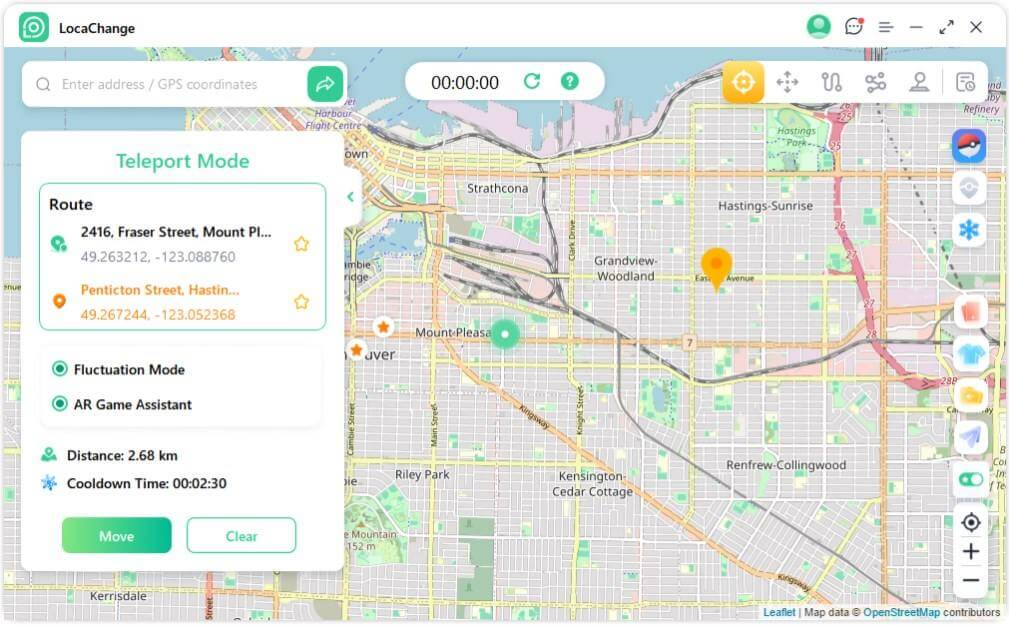
- Teleport to anywhere with one click and use a 360-degree joystick to simulate movement routes.
- Cooldown guidance and adjustable movement speed help reduce suspicious movement patterns.
- Supports current iOS and Android workflows, plus optional PC-assisted control.
- More advanced tools include a built-in Pokemon GO map, Pokemon information search, and route support.
- Free trial is available.

Use LocaChange to replace iPogo for a lower-risk official-app workflow:
Step 1: Download and install LocaChange on your phone.
Step 2: After installation, open LocaChange, choose Special Game Mode, and then start Pokemon GO.

You can also use LocaChange via PC to spoof location on iOS and Android:
Step 1: Connect your phone to a computer via WiFi or a USB cable.
Step 2: Choose one of the available spoofing modes and move with cooldown-aware route control. Yes, iPogo is still active in 2026, but it remains a modified-client setup. Whether it works smoothly depends on the current build, install route, and how quickly it adapts after Pokemon GO updates. No. iPogo is not distributed through the App Store or Google Play. iPogo iOS relies on IPA signing or sideloading, while iPogo Android relies on APK installation. Yes. iPogo can lead to warnings, soft bans, or stronger account action because it is a modified Pokemon GO client. Cooldown habits may lower risk, but they do not guarantee safety. iPogo still has free and paid tiers. The paid version unlocks more convenience features, but a paid plan does not change the core risk profile of using a tweaked Pokemon GO client. LocaChange is the better lower-risk alternative when you want to use the official Pokemon GO app instead of a modified client while still getting teleporting, joystick movement, and route controls. iPogo Pokemon GO is still relevant in 2026 because some players want a feature-rich tweaked-client setup, but the tradeoff is still real: install friction, update instability, and account-risk do not go away. If you want the broadest feature set inside one modded client, iPogo still has a place. If you want a steadier official-app workflow, LocaChange is the better fit.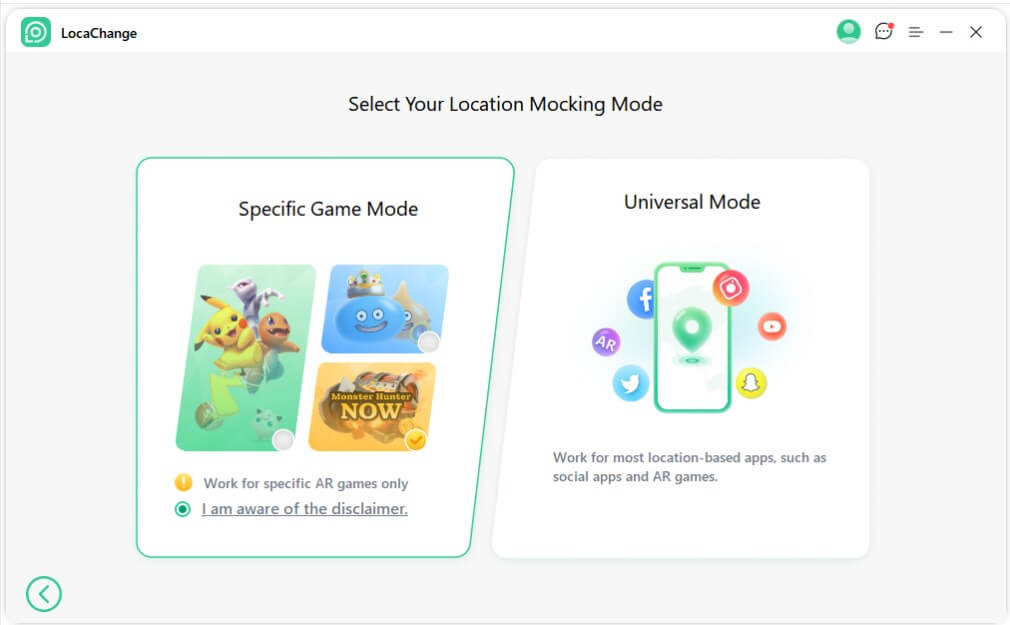
iPogo vs LocaChange: Which Setup Fits You Better?
Option
Best For
Install Method
Official Game App?
Root/Jailbreak Required
Main Risk
Verdict
iPogo iOS (IPA)
Players who still want a tweaked-client workflow on iPhone
Sideloaded IPA / signing service
❌
❌ for many setups
Signing friction, revokes, client detection
Powerful, but higher-maintenance and higher-risk
iPogo Android (APK)
Android users who want modded-client features
Direct APK install
❌
❌ for basic install
Modified-client exposure, update instability
More direct to install, still risky
LocaChange
Players who want a lower-risk alternative
Official-app location workflow
✅
❌
GPS spoofing still violates Niantic rules
Better fit for long-term stability
FAQs About iPogo Pokemon GO
1. Does iPogo still work in 2026?
2. Is iPogo on the App Store or Google Play?
3. Can you get banned for using iPogo?
4. Is iPogo free?
5. What is the safer alternative to iPogo?
Conclusion


 Related Articles
- [2026] SpooferPro Review: Download, Use and Safety
- [2026] Spoofer Go Review: Download, Safety and Alternative
- iGPSGo Review: Download, Features, Safety & Best Alternative
- iTools Dongle (iTools BT 2.5) Review and User Guide
- 8 Best Pokemon GO Mods for Android & iOS [2026 Update]
- [2026] iOSGods Download, Safety & Best Alternative