


 Most Popular
 What's New
iTools Dongle (iTools BT 2.5) Review and User Guide

iTools Dongle Alternative
The best alternative to iTools Dongle. Change your in-game location with a 360-degree Pokemon GO joystick to anywhere with 1 click. Safe and no soft-ban.

The iTools Dongle has long been a go-to tool for Pokemon GO players who want more control over their in-game movement. By simulating GPS locations, trainers can snipe rare Pokemon, join global events, and complete their Pokedex - all without leaving home.
But in 2026, the classic plug-in iTools dongle is no longer in production. It has been fully replaced by the wireless iTools BT series, with the latest and only officially supported model being the iTools BT 2.5, also known as the iTools Bluetooth joystick.
This guide covers everything you need to know about the new iTools BT 2.5, from setup and wireless spoofing methods to its performance in Pokemon GO. We'll also introduce a reliable iTools Pokemon GO alternative for those who prefer a software-based option. Let's get started.
- What Is the iTools Dongle (iTools BT 2.5)?
- iTools BT 2.5 Features, Advantages & Limitations
- iTools Dongle vs. iTools BT 2.5: What Changed?
- How to Set Up iTools BT 2.5 (Step-by-Step Guide)
- How to Bypass iTools BT 2.5 Limitations?
- The Best iTools Pokemon GO Alternative - LocaChange
- FAQs About iTools Dongle & iTools BT 2.5
What Is the iTools Dongle (iTools BT 2.5)?
When players mention the "iTools dongle" today, they're referring to the current model: the iTools BT 2.5. The original plug-in GPS dongle was discontinued over four years ago and is no longer manufactured.
The iTools BT 2.5 is a Bluetooth-based iOS location spoofing device designed for GPS games like Pokemon GO. It connects to your iPhone or iPad wirelessly and simulates real GPS movement without requiring a jailbreak.

Unlike software spoofers, the iTools Bluetooth joystick emits hardware-level GPS signals, making it more stable and less detectable than common mock-location apps - all while giving players full wireless freedom, with no physical dongle plugged into the phone.
iTools BT 2.5 Features, Advantages & Limitations
The iTools BT 2.5 includes a set of practical features that enhance route control and GPS spoofing for iOS users:
Key Features of iTools BT 2.5:
360-degree joystick control via Bluetooth
One-tap teleport in Pokemon GO and MH Now
Auto-walk inside the game
Custom borders for PokeStops and Gyms that auto-generate GPX routes
Built-in PokeSniper (Nests, Raids, Field Research, Wild, Gyms)
GPX file import and export
Advantages:
- More stable than mock-location apps
- Lower detection risk in Pokemon GO compared to software spoofers
- Simple plug-and-play setup
- Reliable long-distance teleporting with minimal drift
Limitations:
- iOS only - not compatible with Android
- Expensive, with longer shipping times
- Not 100% safe - may still cause Pokemon GO soft bans
- You can only move 7-20 km away from your real GPS location
Overall, the iTools BT 2.5 is ideal for players seeking a safer and more stable iOS spoofing solution, especially for Pokemon GO.
iTools Dongle vs. iTools BT 2.5: What Changed?
I believe some of you are still confused about the difference between the iTools Dongle and the iTools BT 2.5. To help clarify matters, I have created a comparison table. If you are already familiar with them, please proceed to the next section.
| Feature | Old iTools Dongle | New iTools BT 2.5 |
|---|---|---|
| Connection Type | Wired (plug-in dongle) | Fully wireless Bluetooth |
| Production Status | Discontinued | Latest and only supported model |
| Stability | Moderate, GPS drift common | More stable hardware-level GPS spoofing |
| Pokemon GO Safety | Higher soft-ban risk | Lower detection risk than software mock apps |
| Controls | Basic movement | 360° joystick, auto-walk, teleport |
| Extra Tools | Limited | Built-in PokeSniper, GPX import/export |
| iOS Compatibility | Issues with newer iOS versions | Optimized for current iOS updates |
| User Experience | Requires cable & physical plug-in | Full wireless freedom, easier to use |
The iTools BT 2.5 replaces the old iTools Dongle with better stability, wireless controls, and more advanced Pokemon GO spoofing features. If you're searching for "iTools Dongle" in 2026, the iTools BT 2.5 is the version you'll actually be using.
How to Set Up iTools BT 2.5 (Step-by-Step Guide)
Follow the updated steps below to correctly activate the device, install the TestFlight app, and start spoofing in Pokemon GO.
Step 1 Purchase iTools BT 2.5 from the official ThinkSky store and wait for the package to arrive. Once your order is confirmed, the support team will later send you the TestFlight access link for the app.


Step 2 Go to the App Store and download TestFlight. (You will need it to install the iTools Mobile app because it is not available on the App Store.)

Step 3 iTools will send you a TestFlight invitation link via email (or Discord customer support if you contacted them). Open the link and install iTools Mobile / iTools General through TestFlight.

Step 4 Turn on your BT. A small LED light should appear, indicating the device is powered.
Step 5 Open Settings > Bluetooth on your iPhone. Look for a device name that starts with: iToolsBT-80xxx-MFI. Tap to connect.

Step 6 Launch the iTools app you installed through TestFlight. If the dongle is successfully paired, you will see a green connection icon in the bottom-right corner of the screen. This means the dongle is ready for location spoofing.

Step 7 Go to:
Settings > Privacy & Security > Location Services > ON
iTools App > Allow While Using App
This ensures the joystick, walking mode, and teleport features work properly.
How to Use iTools BT 2.5 for Pokemon GO?
Once connected, using the dongle in Pokemon GO is very simple:
1. Open the iTools app and choose a location on the map or enable the joystick.
2. Teleport if you want to jump to another region instantly or set your movement speed.
3. Launch Pokemon GO, and your character will follow the route or joystick movement in real time.
4. Make sure to respect cooldown rules when teleporting to avoid soft bans.
This setup allows you to explore global hotspots, farm rare spawns, and play Pokemon GO without physically walking.
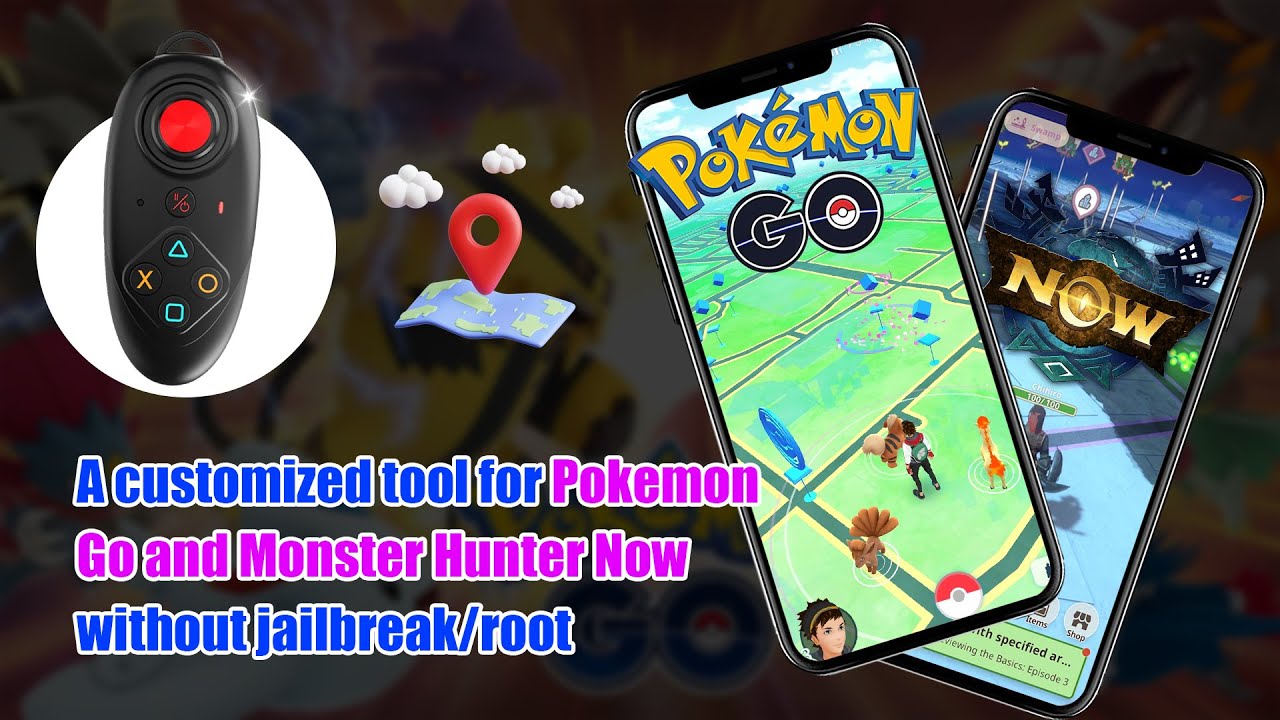
Watch the video on how to use iTools BT to spoof Pokemon GO:
How to Bypass iTools BT 2.5 Limitations?
The biggest limitation of the iTools BT 2.5 is that you can only move 7–20 km away from your real GPS location unless you apply a proper bypass method. This restriction exists because iOS occasionally verifies your real GPS source through Wi-Fi, DNS, and network-based location signals. To spoof globally, you must block those real-location signals.
Method 1 NextDNS Bypass (Most Recommended)
The NextDNS method is currently the most popular option because it is free, wireless, and simple to configure. It works on both cellular and Wi-Fi networks and supports iToolsBT and dongle devices.
Method 2 Ethernet Adaptor Method
Using an MFI-certified RJ45 Ethernet adaptor provides one of the most stable long-distance bypass experiences.
Steps are straightforward: enable Airplane Mode > disable Wi-Fi > connect Ethernet > pair iTools BT > open iTools & Pokemon GO > toggle Location Services > start spoofing.
Method 3 Macbook Internet Sharing
This method uses your Macbook's internet sharing feature to deliver a bypass effect without needing an Ethernet adaptor.
Works best on newer macOS versions. Simply enable Internet Sharing (Wi-Fi > iPhone USB), then on the phone follow the usual setup: Airplane Mode > Wi-Fi off > Bluetooth pairing > toggle Location Services.
Method 4 TP-Link Portable Router Method
Using a TP-Link AC750 portable router in Client Mode lets you create a dedicated bypass environment even in hotels.
After linking the router to local Wi-Fi, switch your iPhone to Airplane Mode, turn off Wi-Fi, pair Bluetooth, toggle Location Services, and you can spoof long distances smoothly.
The Best iTools Pokemon GO Alternative - LocaChange
If you want a safer, more convenient replacement for the iTools Pokemon GO dongle, LocaChange is the top iTools Pokemon GO alternative in 2026. Unlike the hardware-only iTools Dongle, LocaChange is a cross-platform Pokemon GO spoofer that supports the latest iOS, Android, PC systems and replicates most iTools features - without extra hardware.
LocaChange combines powerful spoofing tools with account-friendly protections: 1-click teleport, a virtual 360° joystick, accurate cooldown timers, and a dedicated Game Mode optimized for Pokemon GO.

 Key Features of LocaChange
- The perfect alternative to iTools Bluetooth Joystick. Whatever the Dongle does, LocaChange can do, too.
- Teleport to anywhere with just 1 click. Unlimited 360-degree joystick to control movement.
- Accurate cooldown time and adjustable moving speed protect your account from soft ban.
- LocaChange seamlessly supports both the latest iOS 27 and Android 17.
- More advanced features include built-in Pokedex, Pokemon information search, IV100 and so on.
- Free trial is available for everyone now.

Use LocaChange to perfectly replace iTools Pokemon GO:
Step 1: Download and install LocaChange on your computer.
Step 2: Connect your phone to your computer via Bluetooth, WiFi or a USB cable.
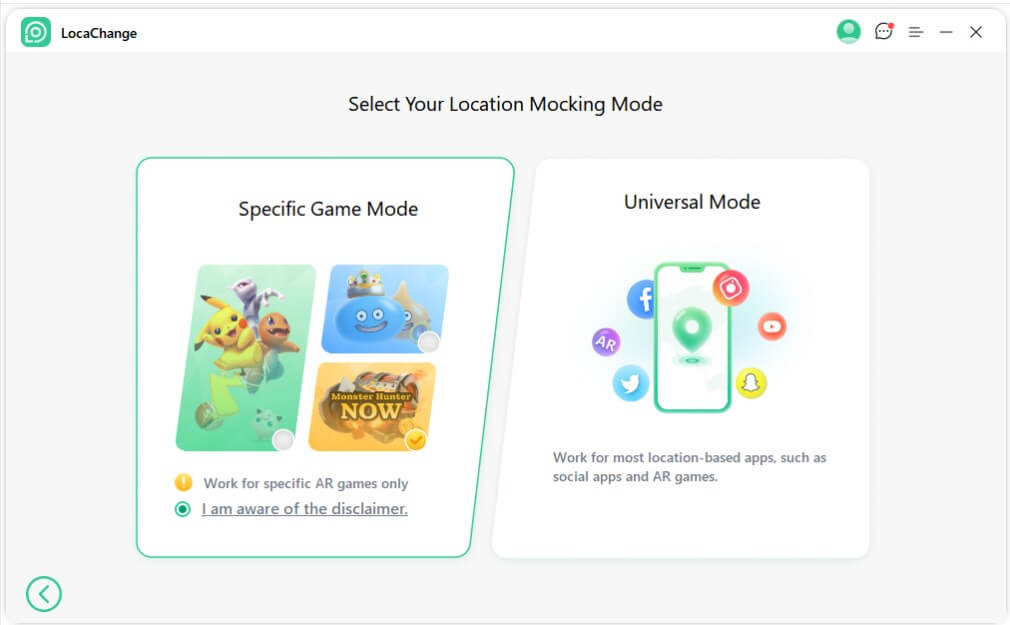
Step 3: Then choose Game Mode - Pokemon GO or Monster Hunter Now.
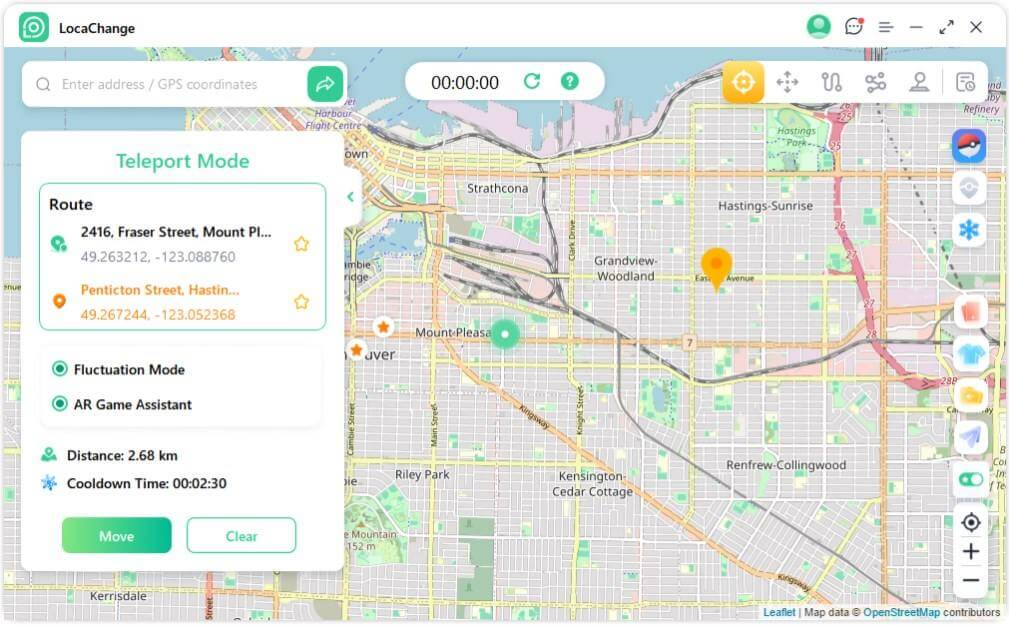
Step 4: Select one of the five modes (Teleport, Joystick, etc.) to easily spoof your location in Pokemon GO and other AR games.
Yes, iTools Dongle Bluetooth joystick works for Pokemon GO and you can use it as a 360-degree Pokemon GO joystick to auto walk and play the game without walking. Unlike iTools PC, it never interacts with the Pokemon GO app but runs in the background. That is to say, you are using a lawful app to change your location in the game. However, iTools BT is only available on iOS systems and is not compatible with Android phones. If you are using an iPhone or iPad, you will be only able to spoof within 7-20 kilometers of your real GPS location. Generally speaking, iTools BT are considered relatively safe by most long-term users, especially compared with traditional mock location apps. Many Reddit users report that they have used iTools for several years without receiving bans, mainly because the tool relies on hardware-assisted location routing instead of software-based mock location APIs. However, no spoofing method is completely risk-free. Niantic's detection system constantly evolves, and inappropriate behaviors - such as teleporting too far without cooldown, moving unrealistically fast, or frequently switching locations—can still trigger warnings or penalties regardless of the tool you use. Yes, players may get banned if the spoofing behavior is detected by Niantic. Some players on Reddit share their experience of getting account suspension for using the Dongle device. On ThinkSky official website, a Bluetooth Multi-function Gaming Joystick 2.5 includes replacement battery is $72.99, an RJ45 Adapter is $15, and Batteries & Accessories is $9.99. If your iTools Dongle does not work, it could be due to device incompatibility, a software crash, or a Pokemon GO account ban. It is recommended to try other safe and stable software spoofers such as LocaChange. iTools Dongle is a useful and smart device for iOS Pokemon GO players, however, it is not easy to set up and the security is not ensured. If you'd like to try safer spoofing tools on the latest iOS version, you can use the location changer LocaChange as its best alternative, which is 100% to download and use.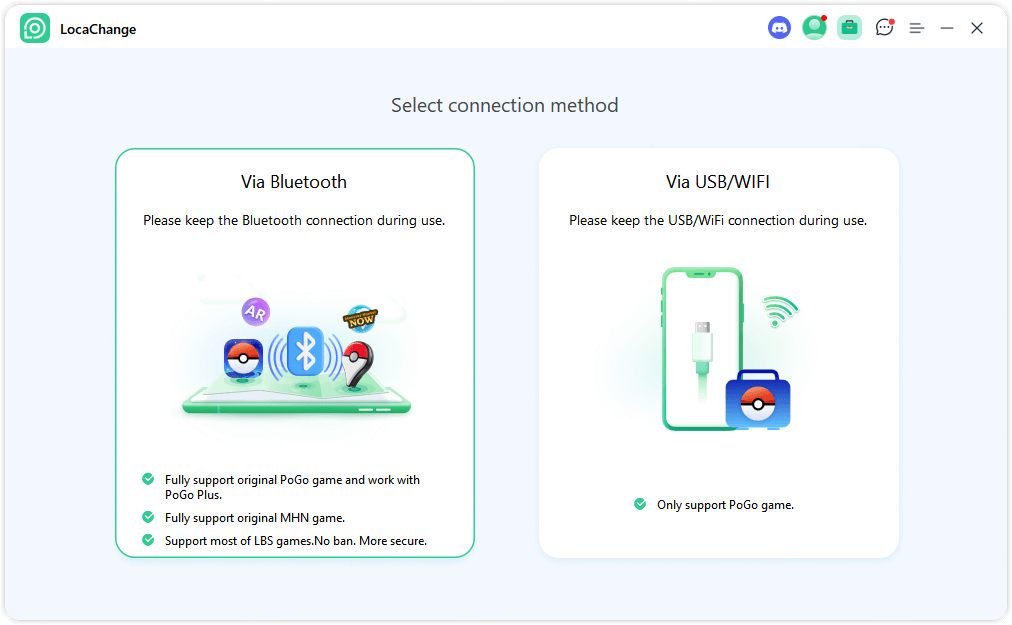
FAQs About iTools Dongle & iTools BT 2.5
1. Does iTools BT work for Pokemon GO?
2. Is iTools Pokemon GO Safe?
3.Can you get banned for using iTools Dongle Pokemon GO?
4.How much does an iTools mobile BT device cost?
5.Why is iTools BT Dongle not working for Pokemon GO?
Conclusion


 Related Articles
- [2026 New] iSpoofer Review: Safety, Download and Alternative
- [2026] SpooferX Review: Download, Use and Alternative
- [2026] SpooferPro Review: Download, Use and Safety
- [2026] Spoofer Go Review: Download, Safety and Alternative
- Wondershare Dr.Fone Virtual Location Review and Guide
- Is Locachange Safe? LocaChange Review in 2026